Door and Window Symbols on Floor Plans
Learn how door swings and window symbols work on floor plans. Understand what the arc, lines, and frames mean so you can read any residential drawing.
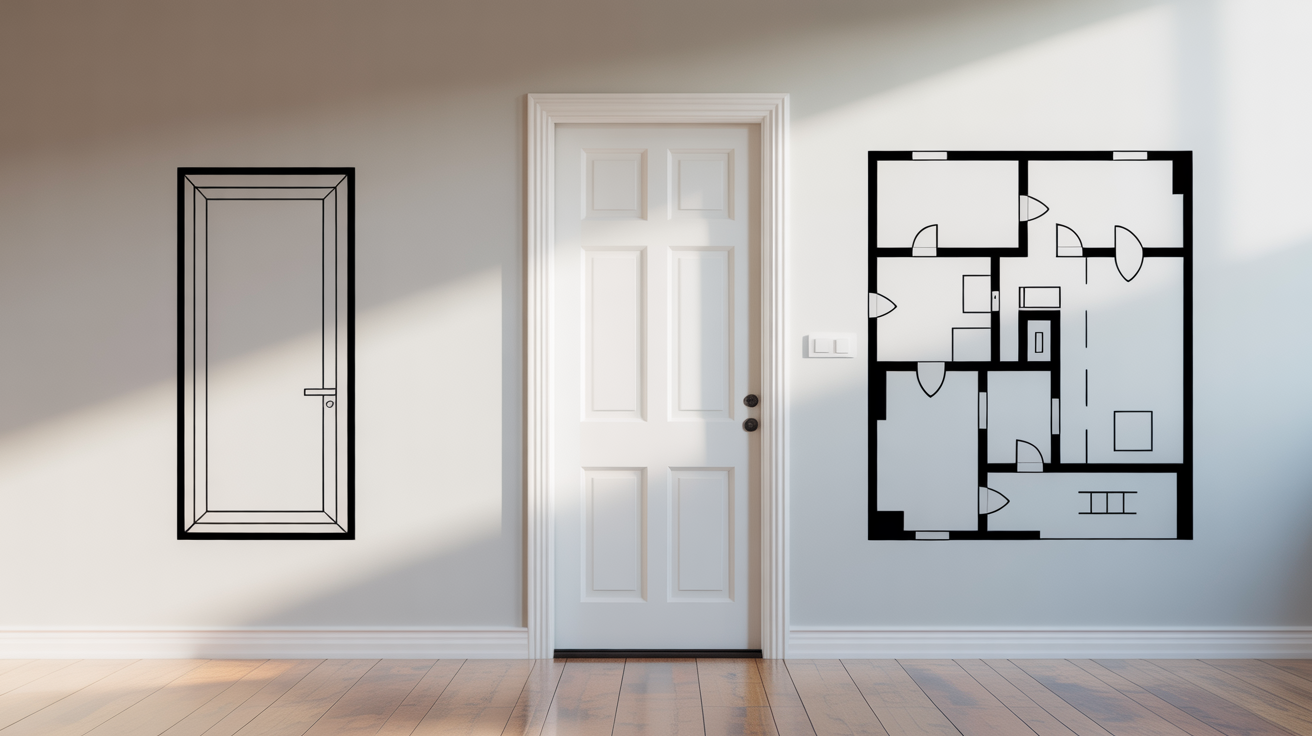
Floor plans show you the shape of a building from above, as if the roof were lifted off and you were looking straight down. Most of what you see makes sense pretty quickly: walls are thick lines, rooms are labeled, and numbers show dimensions. But two things trip beginners up almost every time: the small arc attached to a door, and the thin parallel lines interrupting a wall where a window sits. Once you understand what those symbols mean, a huge chunk of any floor plan becomes readable.
This guide covers both symbols in plain terms, explains the less obvious variations you will encounter, and helps you avoid the most common misreading errors.
Quick answers
- A door symbol is a straight line (the panel) plus an arc (the swing path). The arc shows which way the door opens and how much floor space it needs.
- A window symbol is a wall opening filled with two or three parallel lines. There is no arc, since a window does not swing into the room.
- Sliding, pocket, and bi-fold doors skip the arc entirely because they do not swing on a hinge.
- Floor plans never show window height. For that, check the elevations or the window schedule.
- A circled letter or number next to a door or window points to a schedule elsewhere in the set with the exact size and specification.
How Doors Are Drawn on a Floor Plan
The Basic Door Symbol
A standard hinged door is drawn as a thin straight line (the door panel itself) attached at one end to the wall, plus a curved arc that sweeps from the free end of the door back to the wall. The arc represents the path the door travels as it opens. Think of it like a clock hand pinned at the hinge.
The straight line tells you how wide the door is. The arc tells you which direction it opens and how much floor space it needs to swing freely. If a sofa or a toilet sits inside that arc area, the door will bang into it in real life.
A typical interior door is 2 feet 8 inches wide (about 810 mm) and the arc sweeps 90 degrees. Exterior doors are often 3 feet (about 915 mm) wide. Bathroom and closet doors sometimes run as narrow as 2 feet (610 mm). The actual width is almost always shown as a dimension on the drawing, so you do not have to guess from the symbol alone.
Which Side Is the Hinge On?
The point where the straight line meets the wall is the hinge side. The curved end is the latch side. If you stand in the doorway facing into the room and the arc swings toward your right, the door is right-hand swing; if it swings left, it is left-hand swing.
This matters when you are thinking about furniture placement or figuring out whether a door will block a light switch when open. Architects and contractors use specific "door hand" terminology, but for reading purposes you simply need to notice where the arc lands.
Sliding and Bi-Fold Doors
Not every door swings on a hinge. Two other types come up regularly in residential plans:
- Sliding (pocket or bypass) door. Drawn as a rectangle with an arrow or as two overlapping rectangles. There is no arc because the door slides along the wall rather than swinging out. A pocket door slides into a cavity in the wall; a bypass door (common on closets) slides in front of the wall on a track. Either way, no floor clearance is needed in front of the opening.
- Bi-fold door. Drawn as two angled rectangles that form a V or accordion shape in the opening. Common on closets. It folds against itself, so it only needs a small swing clearance at the fold rather than a full arc.
Some drawings use a note or a door schedule number tag to clarify the door type rather than relying entirely on the symbol. If you see a circled number next to a door, look for a door schedule elsewhere in the drawing set that lists the type, size, and hardware for each door.
Reading the Door Symbol in Context
A good habit: before assuming a door can go where shown, trace the arc and imagine furniture in the room. A bedroom where the door arc overlaps the bed location is a real problem, even if the symbol looks fine in isolation. Also check that the arc does not sweep into an adjacent hallway where traffic would constantly block it.
For actual construction or renovation work, confirm egress requirements (minimum clear opening widths for exit doors) with your local building department, since code requirements vary by jurisdiction and occupancy type.
How Windows Are Drawn on a Floor Plan
The Basic Window Symbol
A window is shown as a thin break in the wall, typically filled with three closely spaced parallel lines. The two outer lines represent the inner and outer faces of the wall; the middle line (or lines) represents the glass pane. On a floor plan, you are looking down at the window sill height, which is why it appears as a flat cross-section rather than a rectangle with a view.
Some drawings use two parallel lines with a narrow gap for the glass, others use three lines, and others add a thin line on each side to show the window frame or sill projection. The exact drawing style varies by firm and region, but the basic idea is the same: a wall with a glazed gap in it.
Unlike a door, a window has no arc. What you see is simply its width and its position in the wall. The height of the window is shown on elevation drawings (the straight-on exterior views), not on the floor plan.
Window Tags and Schedules
Windows are frequently labeled with a letter or number tag in a small circle or square, just like doors. That tag points to a window schedule that lists the width, height, sill height above the floor, glazing type, and sometimes the manufacturer's unit size. For example, a window tagged "W3" might correspond to a schedule entry that reads: 3'-0" wide x 4'-0" tall, sill at 3'-0" above floor.
If you are trying to understand how much natural light a room will get, find the schedule and look at the height dimension. The floor plan alone only tells you width and location.
Bay Windows and Other Projections
A bay window projects beyond the exterior wall face. On a floor plan it appears as a bump-out: the wall line angles or curves outward, then comes back in. The window lines sit within that projected section. This gives you a sense of how much interior floor area the bay adds and how far it extends from the main wall.
Skylights do not appear on a floor plan at all since they are in the roof, not the walls. You would see them on the roof plan or in a ceiling plan (sometimes called a reflected ceiling plan).
A Quick Reference: Common Door and Window Symbols
| Symbol | What It Looks Like | What It Means |
|---|---|---|
| Straight line + quarter-circle arc | Line from wall, arc sweeps to wall | Standard hinged door; arc = swing path |
| Two overlapping rectangles in opening | Parallel rectangles, often with arrow | Sliding (bypass) door |
| Rectangle pointing into wall cavity | Door panel disappearing into wall thickness | Pocket (sliding) door |
| Two angled lines forming a V in opening | Accordion or V shape | Bi-fold door |
| Three parallel lines crossing wall | Thin lines interrupting wall line | Fixed or operable window |
| Three parallel lines in an angled bump-out | Lines within a projected wall section | Bay window |
| Circled or boxed number/letter near opening | Small tag attached to symbol | Door or window schedule reference |
Where These Symbols Connect to the Rest of the Drawing Set
The floor plan gives you location and rough size, but it does not stand alone. For a complete picture of any door or window, you typically cross-reference three other drawing types.
First, check the door and window schedules (often on the same sheet as the floor plan or on a separate schedule sheet). These give you exact sizes, materials, fire ratings, and hardware notes.
Second, look at the exterior elevations. An elevation is a flat, straight-on view of each side of the building. Windows appear as rectangles with grid lines showing panes, and their vertical positions become clear. If the floor plan shows a window but you want to know how tall it is or whether it has a transom above it, the elevation is where you look.
Third, for anything involving egress (required escape windows in bedrooms, for example), confirm the opening dimensions meet local code minimums with your building department. Egress window requirements vary, and a window that appears on the plan may or may not satisfy the code for your jurisdiction.
To get comfortable with floor plans more broadly, How to Read a Floor Plan walks through the full range of symbols you will encounter, not just doors and windows.
If you are still getting oriented to what a floor plan actually is and how it relates to other drawings, What Is a Floor Plan? A Beginner's Guide covers the basics.
Once you are comfortable reading existing floor plans, How to Measure a Room and Sketch a Floor Plan shows how to create a simple one yourself using measurements from a real space.
Common Mistakes When Reading Door and Window Symbols
Ignoring the arc. The most frequent beginner error is noting a door location but forgetting to check where the arc falls. Furniture placed in the arc zone means the door cannot open fully, or at all.
Confusing a pocket door for a window. A pocket door drawn into the wall thickness can look similar to a window symbol at a glance. Check whether the symbol is in the exterior wall (almost certainly a window) or an interior wall (more likely a door, possibly a pocket type).
Assuming the floor plan shows window height. It does not. A narrow window symbol on a floor plan might represent a tall, narrow window or a short, wide one at a low sill height. You need the elevation or the schedule for height information.
Reading the door as opening the wrong way. The hinge point is where the straight line meets the wall. New readers sometimes assume the wider, open end is the hinge side. Trace the arc carefully before deciding which side swings into the room.
Frequently Asked Questions
What does the arc on a door symbol actually show me?
The arc traces the path the outer edge of the door travels as the door opens from closed (flush with the wall) to fully open (usually 90 degrees). Any object within that arc zone will be hit by the door. The arc also shows you which direction the door opens into the room. A door that opens inward will have its arc on the interior side of the wall; a door that opens outward (common on exterior storm doors or some commercial exits) will have the arc on the exterior side.
Why do some floor plans show double lines for windows and some show triple lines?
Different drafting conventions and different software tools produce slightly different window symbols. Two parallel lines usually represent the two glass panes of a double-pane unit, viewed from above. Three lines typically add the frame or sill depth. Both mean the same thing conceptually: a window. The schedule or a note on the drawing will give you the definitive information about glazing type and unit dimensions.
How can I tell if a door swings into a room or out of it?
Look at which side of the wall the arc appears on. The arc sits on the side the door swings toward. For an interior room door, the arc is usually on the interior (room) side, meaning the door opens into the room. Some bathrooms have doors that open outward into the hallway to save interior floor space; in that case, the arc would be drawn on the hallway side of the wall.
Can I tell from a floor plan whether a window opens or is fixed?
Generally, no. A standard floor plan symbol does not distinguish between a fixed pane and an operable casement or double-hung window. The window schedule, if provided, will list the window type. On more detailed drawings, an operable window might have a small diagonal line indicating the opening direction, but this is not universal. If operability matters for your project (ventilation requirements, egress, etc.), check the schedule or confirm with the architect or designer.
What does it mean when a door symbol has a number tag next to it?
That number (or letter) refers to the door schedule, a table usually found on the same sheet or a separate schedule sheet in the drawing set. The schedule entry for that number will tell you the door's exact size, material, fire rating if applicable, hardware type (knob, lever, closer), and any special notes. Architects use schedules to avoid cluttering the floor plan with text and to make it easy to specify the same door type across multiple openings.
Further reading
A few outside resources are worth a look if you want to go beyond the basics covered here.
- Architectural drawing (Wikipedia) gives a broader overview of how orthographic views, scale, and drawing conventions fit together across an entire set.
- Floor plan (Wikipedia) covers the history and general conventions of floor plans, including how they differ from reflected ceiling plans.
- International Code Council publishes the model building and residential codes that most US jurisdictions adapt locally, including the egress rules referenced above. Since actual requirements are set and enforced locally, treat this as background reading rather than a substitute for checking with your building department.